
MemryX + Frigate Manual Setup
A step-by-step guide to run MemryX MX3 acceleration for Frigate object detection.

MemryX now integrates with Frigate to accelerate real-time object detection using the MX3 AI accelerator. With MemryX handling inference, Frigate can run efficient on-device AI detection for faster performance and scalable home surveillance.
Prerequisites
- A supported Linux host (e.g., Ubuntu 22.04 LTS or a Debian-based ARM OS such as Raspberry Pi OS 64-bit)
- MemryX MX3 AI Accelerator
- Docker & Docker Compose
- One or more IP cameras (RTSP supported)
Get Started (MX3 Hardware Setup)
If you already have an MX3 installed, you can skip this step.
If you need help with MX3 installation, refer to:
https://developer.memryx.com/get_started/install_hardware.html
Install MemryX Driver + Runtime on the Host
Frigate can use MemryX acceleration only when the MemryX driver + runtime are installed correctly on the host system.
Steps
- Copy or download the installation script
- Give it execution permissions:
sudo chmod +x user_installation.sh - Run the script:
./user_installation.sh - Restart your computer
What the script does
- Removes older MemryX packages to avoid version conflicts
- Installs prerequisite
aptpackages - Adds the official MemryX APT repository
- Installs MemryX v2.1 packages:
memx-drivers=2.1.*,memx-accl=2.1.*,mxa-manager=2.1.* - Runs ARM board setup automatically (ARM64 only)
- Prompts you to restart to complete installation
Verify Installation (After Reboot)
- Check that the device is detected:
ls /dev/memx*
Expected output:/dev/memx0 - Check the installed driver version:
apt policy memx-drivers
Get Started with Frigate w/ MemryX Acceleration
You can get started by pulling the stable Frigate image, which already includes MemryX support in the base image:ghcr.io/blakeblackshear/frigate:stable
Docker Compose Setup (Recommended)
Create a docker-compose.yaml file:
nano docker-compose.yaml Add the following content:
services:
  frigate:
     container_name: frigate
     image: ghcr.io/blakeblackshear/frigate:stable
     shm_size: "512mb" # calculate on your own
     restart: unless-stopped
     privileged: true
     ports:
       - "8971:8971"
       - "8554:8554"
       - "5000:5000"
       - "8555:8555/tcp" # WebRTC over tcp
       - "8555:8555/udp" # WebRTC over udp
   devices:
       - /dev/memx0
   volumes:
     - /run/mxa_manager:/run/mxa_manager
     - /etc/localtime:/etc/localtime:ro
     - /path/to/your/config:/config
     - /path/to/your/storage:/media/frigate
     - /tmp/cache:/tmp/cache
Start Docker
Run the following command to start Docker in daemon mode:
docker compose up --build -d Docker Run (If you don’t use Docker Compose)
If you’re not using Docker Compose, you can start Frigate manually using docker run.
Make sure you include:
--device /dev/memx0--privileged=true-v /run/mxa_manager:/run/mxa_manager
Start Frigate with Docker Run
docker run -d \
--name frigate-memryx \
--restart=unless-stopped \
--mount type=tmpfs,target=/tmp/cache,tmpfs-size=1000000000 \
--shm-size=256m \
-v /path/to/your/storage:/media/frigate \
-v /path/to/your/config:/config \
-v /etc/localtime:/etc/localtime:ro \
-v /run/mxa_manager:/run/mxa_manager \
-e FRIGATE_RTSP_PASSWORD='password' \
--privileged=true \
-p 8971:8971 \
-p 8554:8554 \
-p 5000:5000 \
-p 8555:8555/tcp \
-p 8555:8555/udp \
--device /dev/memx0 \
ghcr.io/blakeblackshear/frigate:stable
Set Up Camera and Detector
Configure your camera using the Frigate camera guides:
https://docs.frigate.video/configuration/cameras/
You can also follow:
- Camera-Specific Guide: https://docs.frigate.video/configuration/camera_specific/
- Cameras Guide: https://docs.frigate.video/configuration/cameras/
Configure the MemryX Detector (Frigate config.yml)
To enable MemryX acceleration in Frigate, set the detector type to memryx.
Single MemryX MX3 (PCIe)
detectors:
  memx0:
    type: memryx
    device: PCIe:0
Multiple MemryX MX3 Modules (PCIe)
detectors:
  memx0:
    type: memryx
    device: PCIe:0

  memx1:
    type: memryx
    device: PCIe:1

  memx2:
    type: memryx
    device: PCIe:2
Supported Models
MemryX detector supports the following models and input sizes:
- YOLO-NAS (320×320, 640×640)
- YOLOv9 (320×320, 640×640)
- YOLOX (640×640)
- SSDLite MobileNet v2 (320×320)
Note: 320×320 is optimized for faster inference and lower CPU usage.
YOLO-NAS (Default: 320×320)
model:
  model_type: yolonas
  width: 320   # set to 640 for higher resolution
  height: 320  # set to 640 for higher resolution
  input_tensor: nchw
  input_dtype: float
  labelmap_path: /labelmap/coco-80.txt
YOLOv9 (Small)
model:
  model_type: yolo-generic
  width: 320   # set to 640 for higher resolution
  height: 320  # set to 640 for higher resolution
  input_tensor: nchw
  input_dtype: float
  labelmap_path: /labelmap/coco-80.txt
YOLOX (Small)
model:
  model_type: yolox
  width: 640
  height: 640
  input_tensor: nchw
  input_dtype: float_denorm
  labelmap_path: /labelmap/coco-80.txt
SSDLite MobileNet v2
model:
  model_type: ssd
  width: 320
  height: 320
  input_tensor: nchw
  input_dtype: float
  labelmap_path: /labelmap/coco-80.txt
Custom Model (Optional)
To use your own model, package it as a .zip containing a compiled .dfp.
If generated, include the optional *_post.onnx.
Mount the zip into the container and set:
model:
  path: /config/your_model.zip
Also update labelmap_path to match your model labels.
Open Frigate Web UI
Once your camera, Docker, and Frigate configuration are set, start the container.
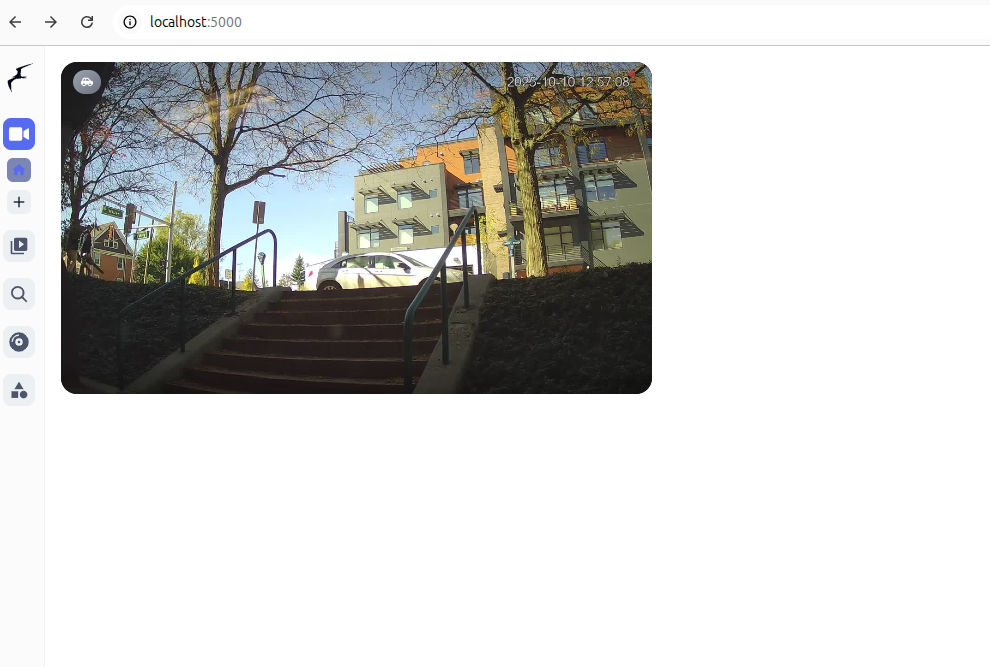
After the container is running, open Frigate in your browser:http://localhost:5000/
You can now view detections and explore more settings from the Frigate UI.
Performance
The MX3 is a pipelined architecture, where the maximum frames per second supported (and thus supported number of cameras) cannot be calculated as 1/latency (1/"Inference Time") and is measured separately. When estimating how many camera streams you may support with your configuration, use the MX3 Total FPS column to approximate of the detector's limit, not the Inference Time.
| Model | Input Size | MX3 Inference Time | MX3 Total FPS |
|---|---|---|---|
| YOLO-NAS-Small | 320 | ~ 9 ms | ~ 378 |
| YOLO-NAS-Small | 640 | ~ 21 ms | ~ 138 |
| YOLOv9s | 320 | ~ 16 ms | ~ 382 |
| YOLOv9s | 640 | ~ 41 ms | ~ 110 |
| YOLOX-Small | 640 | ~ 16 ms | ~ 263 |
| SSDlite MobileNet v2 | 320 | ~ 5 ms | ~ 1056 |
Inference speeds may vary depending on the host platform. The above data was measured on an Intel 13700 CPU. Platforms like Raspberry Pi, Orange Pi, and other ARM-based SBCs have different levels of processing capability, which may limit total FPS.