MemryX Brings High-Performance AI to Renesas RZ/G3E with Yocto Integration
MemryX now supports the Yocto BSP for the Renesas RZ/G3E platform, providing developers with a streamlined path to deploy high-performance, power-efficient AI applications at the edge.
This blog presents a practical overview of the complete software bring-up process, including BSP configuration, integration of the MemryX Yocto layers, cross-compilation, deployment, and execution of accelerated computer vision applications on MemryX hardware.
For detailed setup instructions and source code, visit the project repository on the official MemryX GitHub page.
Validated Configuration
The steps described in this guide were validated using the following hardware and software configuration.
| Component | Version / Configuration |
|---|---|
| Renesas BSP | RZ/G3E BSP v1.0.0 |
| Yocto Distribution | Scarthgap |
| Root Filesystem | core-image-weston |
| Yocto SDK Toolchain | v5.0.8 |
| MemryX SDK / Runtime | v2.2 |
| MemryX Driver | MX3 PCIe Driver (v2.2 recipes) |
| AI Accelerator | One MemryX MX3 M.2 Module |
| Example Model | YOLO26 Nano |
| Model Input Resolution | 640 × 640 |
The accompanying GitHub repository contains the complete Yocto layer modifications and recipes used to build this validated configuration.
Prerequisites
Before beginning the build process, ensure your development environment meets the following requirements:
- A Linux development workstation (Ubuntu 24.04 recommended) with the standard Yocto Project host dependencies installed.
- Approximately 200 GB of available disk space for the complete BSP build.
- A configured Git environment (
git config --global user.nameandgit config --global user.email) to allow patches to be applied correctly during development. - A registered MyRenesas account to download the required Renesas graphics and multimedia packages.
- The proprietary Renesas graphics and video codec packages corresponding to BSP v1.0.0.
- Internet connectivity during the initial build to download Yocto source packages and repositories.
Once these prerequisites have been satisfied, the BSP can be configured and built using the steps described below.
Environment Setup
The MemryX integration for Renesas RZ/G3E is provided through the memx-yocto-renesas repository, which contains Yocto integration layers for both the MX3 PCIe kernel driver and the MemryX runtime libraries.
The build environment assumes a standard Renesas RZ/G3E Yocto BSP setup. After downloading and initializing the Renesas BSP, the MemryX layers can be added into the build configuration using bitbake-layers.
The repository currently includes two primary layers:
meta-mx3-driver, which builds the MX3 M.2 PCIe kernel modulemeta-memx-runtime, which builds the MemryX runtime libraries and benchmarking utilities
Once the BSP environment has been initialized, the MemryX layers can be added:
bitbake-layers add-layer ../meta-mx3-driver
bitbake-layers add-layer ../meta-memx-runtime
The target image can then be configured to include the MemryX packages and supporting multimedia stack components required for accelerated video inference workflows.
Building the BSP Image
The platform is built using Yocto and BitBake in the standard Renesas workflow. For development and evaluation, the recommended image target is core-image-weston, which provides Wayland display and video codec support required by the sample applications.
The BSP image can be built using:
MACHINE=smarc-rzg3e bitbake core-image-westonAfter the build completes, the generated image artifacts can be found in:
build/tmp/deploy/images/smarc-rzg3e/These artifacts can then be flashed to a microSD card for booting on the Renesas RZ/G3E platform.
Generating the Cross-Compilation SDK
In addition to the target image, Yocto can generate a complete cross-compilation SDK for application development.
The SDK is generated with:
MACHINE=smarc-rzg3e bitbake core-image-weston -c populate_sdkThis produces a self-contained cross-compilation environment containing:
- the aarch64 cross toolchain
- target sysroot libraries
- headers for the MemryX runtime and dependencies
- CMake integration support
After installing the generated SDK, the environment can be enabled using:
source /opt/rz-vlp/5.0.8/environment-setup-cortexa55-poky-linuxNote: your path may vary.
At this point, standard CMake-based applications can be cross-compiled directly for the Renesas target.
Cross-Compiling the Sample Application
To demonstrate the complete deployment flow, the platform was validated using a C++ YOLO26 Nano object detection application operating on 640x640 input resolution. You can find this sample application on the memx_test_app repository; simply clone the repository and enter the project folder.
The application uses:
- GStreamer for video ingest
- OpenCV for image preprocessing and rendering
- The MemryX runtime for inference execution on MX3 accelerator chips
After sourcing the Yocto SDK environment, the application can be built using CMake:
mkdir build && cd build
cmake ..
make -j
The resulting binary is an aarch64 executable ready for deployment onto the Renesas platform.
Deploying to the Target
The compiled application and required runtime libraries can be copied directly onto the target root filesystem using cp or by placing the binaries onto the generated rootfs image before flashing.
Typical deployment locations include:
/usr/bin/
/root/home/weston/
After deployment, shared-library dependencies can be checked using:
ldd ./mainto confirm all shared library dependencies are correctly resolved on target.
Running Inference on the Platform
Once deployed, the sample application can be executed directly on the Renesas RZ/G3E platform.
For object detection testing, the YOLO26 Nano model running at 640x640 resolution achieves approximately 60 FPS end-to-end using the MemryX accelerator pipeline. The end-to-end workflow includes:
- video decoding of USB camera inputs
- preprocessing
- accelerated inference on MemryX hardware
- postprocessing and display rendering
The RZ/G3E platform can additionally be evaluated using the included acclBench benchmarking utility, which provides direct accelerator throughput measurements and stress-testing capabilities for sustained inference workloads. For details on how to use the acclBench CLI, refer to the documentation on the MemryX Developer Hub.
Hardware Platform
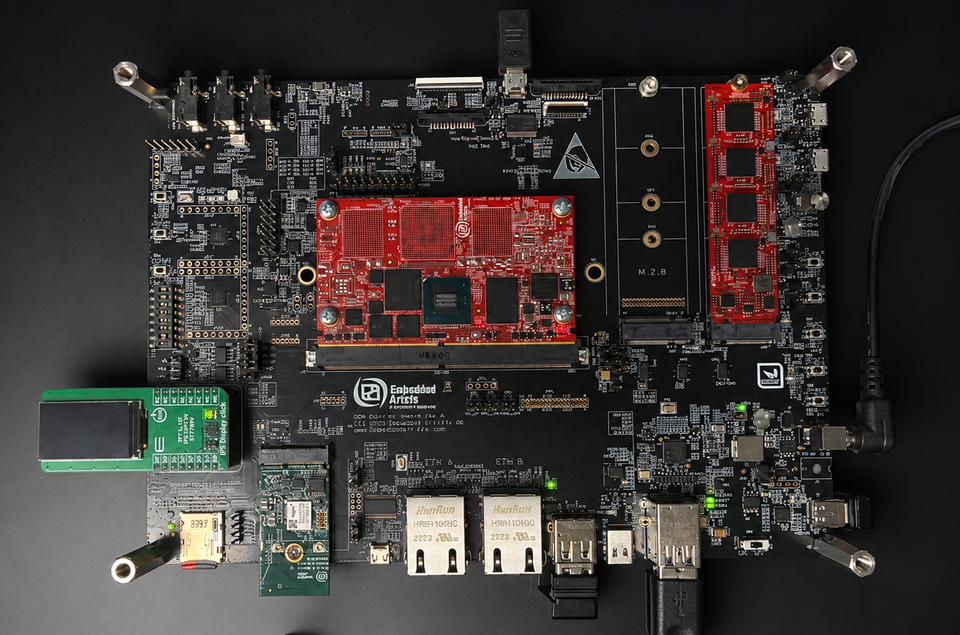
The reference hardware platform uses one MemryX MX3 M.2 AI Accelerator module. Combined with the Renesas RZ/G3E SOM and Yocto-based Linux environment, the platform provides a flexible and scalable foundation for embedded AI applications spanning industrial automation, smart vision, and intelligent edge systems.
Performance Considerations
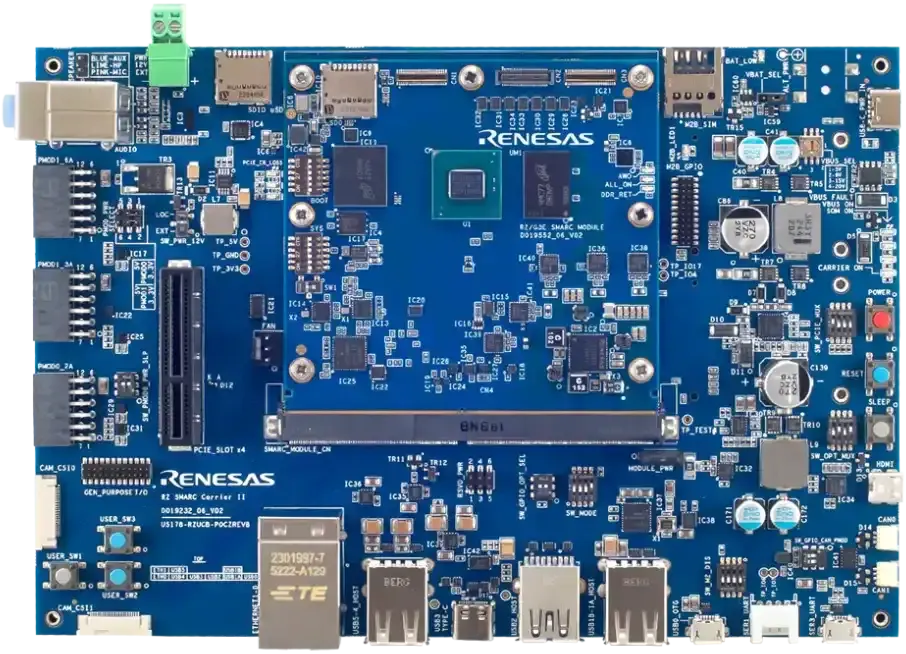
The Renesas RZ/G3E platform combines a quad-core Arm Cortex-A55 processor with integrated graphics, multimedia capabilities, and high-speed connectivity, providing a capable foundation for modern embedded AI applications. By pairing the platform with MemryX acceleration over PCIe Gen3, AI inference workloads are offloaded from the host CPU, allowing the processor to focus on application logic, sensor management, communications, and other system tasks. This combination enables significantly higher AI performance while maintaining an efficient architecture well suited for industrial, robotics, vision, and other embedded edge deployments.
Source Code and Detailed Instructions
Complete source code, Yocto layers, and setup instructions are available on the MemryX GitHub. Happy developing!